How to Redeem Do Not Stop Codes
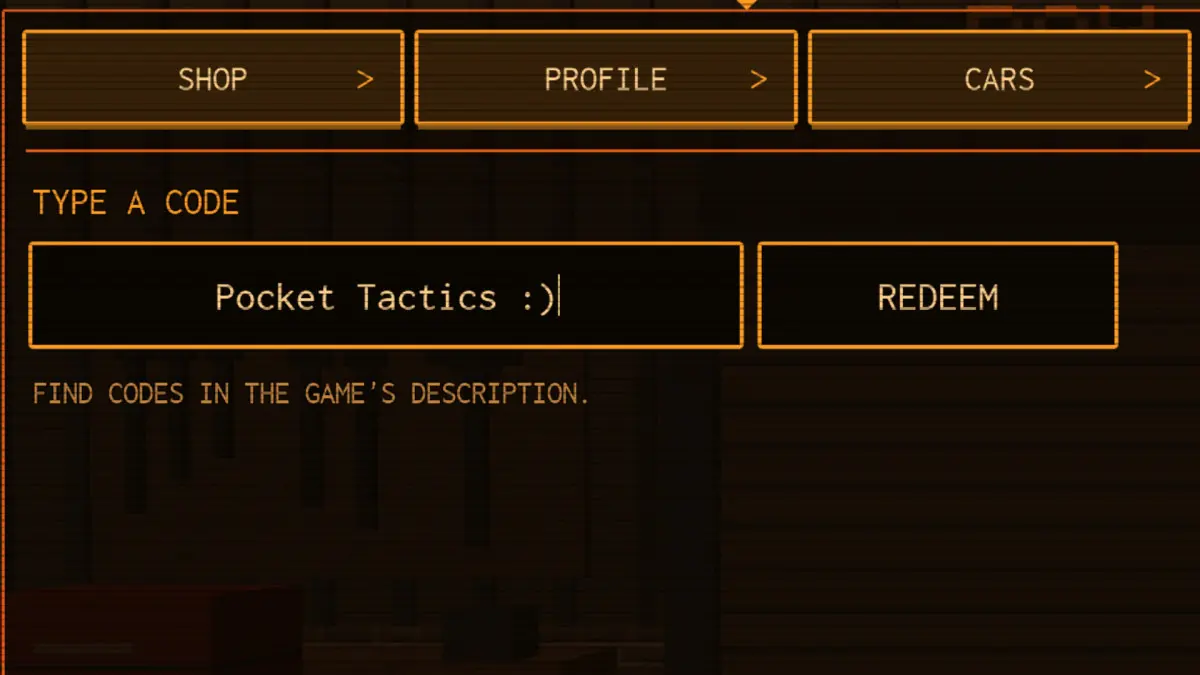
Join the lobby, open GARAGE, choose CODES, type the code in capitals, and confirm. That wording is the one on the public game description.
Steps
- Open Do Not Stop and wait until you are in the lobby.
- Open GARAGE.
- Select CODES.
- Type the code in capitals, exactly, with no spaces.
- Confirm. The credits land in the balance.
When a code does not go in
| Reason | What supports it | Status |
|---|---|---|
| Wrong case | Roblox Den, Pocket Tactics | 2 sources |
| Extra space | Pocket Tactics | 1 source |
| Already claimed on the account | Two guide sites | 2 sources |
| Typed in the other menu | GARAGE versus SHOP split | Conflict, both wordings shown |
| Needs a newer server | One guide site only | 1 source |
The live list is on codes. What the credits buy is on credits and cars.

FAQ
Do I type the code in chat?
No. The description says the lobby menu: GARAGE, then CODES. Chat is not the path those pages describe.
Why do some guides say SHOP?
GameRant, Dexerto, and Pocket Tactics say SHOP then CODES. The developer text and Roblox Den say GARAGE. I keep GARAGE as the primary path and show SHOP as the other wording.
Can I redeem a code twice?
Two guide sites say each code is once per Roblox account. The description does not repeat that line, so I am not upgrading it to a developer rule.
Sources
- Public game record — checked 2026-11-16
- Roblox Den codes page — checked 2026-11-16
- Sportskeeda codes page — checked 2026-11-16
- GameRant codes page — checked 2026-11-16
- Dexerto codes page — checked 2026-11-16
- Pocket Tactics codes page — checked 2026-11-16
- donotstop-roblox.wiki — checked 2026-11-16
- donotstopgg.wiki — checked 2026-11-16